Inc. 5000 Fastest-Growing Company in the US

inc-5000-logo

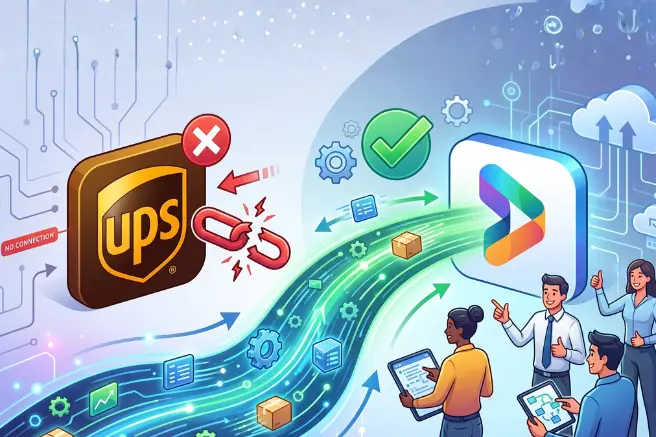
We work with mid-market manufacturers every day. Steel buildings, contract bedding, food production, chemicals, pharma. Different industries, different operations, different challenges. But one problem shows up almost everywhere. Dynamics 365 is live. Inventory is tracked. Production is visible. Finance is closing on time. And then we walk to the shipping floor and someone is typing order details into UPS WorldShip by hand. The data is already in D365. The customer’s account number, the service type, the delivery preferences. All of it sitting in the system. None of it reaching the floor automatically. We kept seeing this. Across implementations, across industries, across team sizes. So we built something to fix it. This blog explains the gap, what it does to your operation, and how closing it changes the way your shipping floor runs. Where the Gap Comes From D365 Finance and Operations doesn’t have a native, out-of-the-box integration with UPS WorldShip or FedEx ShipManager that works the way manufacturers need it to. The connection that existed in older versions of Dynamics AX relied on an ODBC setup that no longer holds up in the modern D365 cloud environment. The result: your sales order lives in D365. Your packing slip is posted in D365. But when the order reaches the shipping floor, none of that data flows automatically to the carrier system. Someone bridges the gap manually, every order, every day. For a company shipping 20 orders a day that’s manageable. For a company shipping 50, 100, or 200 orders a day it becomes one of the biggest operational drains nobody is measuring. What It Does to Your Throughput Throughput is the metric most operations leaders focus on for production. How many units through the line per shift. Where are we bottlenecked. The same question applies to shipping and the answer is almost always the manual entry step. A shipping team processing 60 orders a day at 8 minutes of manual entry per order is spending 480 minutes on data transfer before they’ve done anything else. That’s not slack time. That’s your shipping floor’s entire productive capacity absorbed by a task the system should be handling automatically. What gets cut to make room? Address verification before the truck leaves. Exception handling. Proactive communication when something is running behind. The work that actually requires human judgment gets compressed into whatever time is left after the data entry is done. When data flows automatically from D365 to WorldShip, that capacity comes back. Not as cost savings on paper. As real time your team can redirect to work that matters. The Data Your Shipping Floor Needs But Can’t Access Here’s specifically what lives in D365 that your shipping team needs every day but currently can’t access automatically. Customer UPS account numbers. Some customers ship on your account. Some on a corporate UPS account. Some on a branch-level collect account that differs by location. In a manual process the shipping team either knows this from experience, asks customer service, or guesses. All three approaches introduce error. Service type preferences. A customer might default to Ground for standard orders but require Next Day Air for anything production-critical. That preference is in the sales order. It doesn’t reach the floor unless someone communicates it manually. Delivery flags. Saturday delivery. Residential delivery. Signature required. Each of these affects the label, the carrier charge, and whether the shipment is delivered successfully on the first attempt. Missing any of them means a failed delivery or a billing discrepancy. Address accuracy. Corporate billing addresses, regional distribution centers, receiving docks with specific delivery window requirements. These details should be stored in the customer record and flow to the label automatically. In a manual process they depend on the shipping team knowing them or catching the discrepancy before the truck leaves. When none of this flows automatically, your floor is operating on partial information. The team fills the gaps with memory, verbal handoffs, and personal spreadsheets. That’s not a process. That’s controlled improvisation under time pressure. The Accountability Gap When a shipment goes out wrong in a manual process, tracing the error is genuinely difficult. Was the wrong collect number entered because customer service didn’t communicate it? Because the shipping team selected from memory and got it wrong? Because the spreadsheet of account numbers hadn’t been updated when the customer switched accounts last quarter? The answer is usually unclear. The error happened somewhere in the chain of people, spreadsheets, and verbal communications between the sales order and the floor. You can retrain the team, update the spreadsheet, add a checklist. But the next error will come from a slightly different gap in the same informal chain. When shipping data flows from D365 to WorldShip through a defined integration, every step is traceable. If a customer’s account number is wrong, the fix is in D365 at the customer record level. The next order ships correctly automatically. One fix applied system-wide. That’s the difference between managing errors and eliminating their source. What Happens When Your Operation Grows Manual shipping processes don’t scale. They absorb each new layer of complexity as additional tribal knowledge somebody has to carry. New customer with three different UPS accounts depending on order type? Someone learns that and adds it to their personal spreadsheet. New national retailer with specific labeling and EDI requirements? Someone builds a workaround outside the system. Second warehouse? Now two teams are managing the same informal process independently. We worked with a contract manufacturer shipping to national retailers across multiple facilities. Each retailer had specific labeling standards, documentation requirements, and EDI needs. Managing those manually across multiple shipping locations wasn’t sustainable. Peak season had become its own operational project requiring dedicated oversight just to keep the manual process from breaking down. The solution wasn’t more documentation or more oversight. It was moving the retailer-specific requirements into D365 where they could be stored at the customer level, triggered automatically at shipment, and applied consistently across every facility. When your shipping requirements live in D365, adding a new customer … Read more

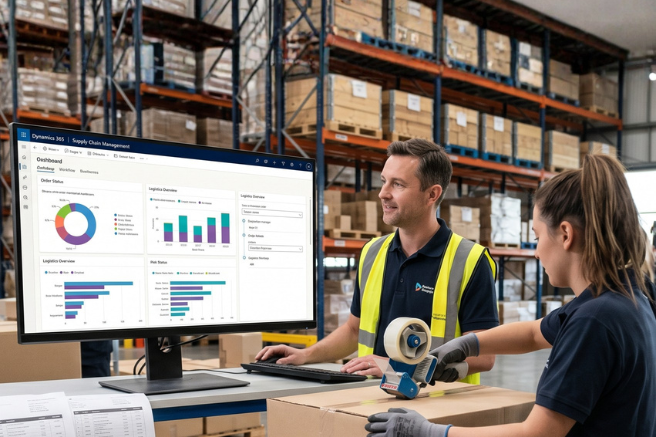
If you’re using Dynamics 365 and still manually entering shipping data into UPS WorldShip or FedEx ShipManager every day, this is for you. Most manufacturers go live on D365 and assume shipping will get easier. It doesn’t. The order is in the system. The customer data is in the system. But when it’s time to ship, someone is still typing it all in by hand. That’s the gap AI Shipment365 closes. Why Does Shipping Stay Manual After a D365 Implementation? D365 Finance and Operations, even when well-configured, doesn’t have a native integration with UPS WorldShip or FedEx ShipManager that works the way manufacturers need it to work. The connection that existed in older versions of Dynamics AX relied on an ODBC setup that no longer holds up in the modern D365 cloud environment. So the sales order lives in D365. The packing slip is posted in D365. All the customer data, account numbers, service preferences, and delivery flags are in D365. But shipping execution happens in a separate system and the two don’t talk to each other. Someone bridges that gap manually, every time. For a company shipping 20 orders a day, that’s manageable. For a company shipping 50, 100, or 200 orders a day, it becomes one of the most expensive problems nobody is tracking. What This Actually Looks Like Every Day Richard couldn’t even tell us how long it took him. Two minutes per order on a good day. Fifteen on a bad one. If he was tired, distracted, or made a small mistake somewhere in the entry, he’d have to go back, figure out where it went wrong, and start over. The time was impossible to predict because the process demanded his full attention every single time. It wasn’t just slow. It was the kind of task that’s always hanging over you. How long will this one take? Did I get that account number right? Is that the correct service type? One small error and the whole thing unravels. Now you’re not just fixing the entry. You’re figuring out what went wrong, when, and what it’s going to cost to correct it. Before we connected the system, shipping felt like something that was always up in the air. The time, the accuracy, the rework. All of it unpredictable. Now add a peak shipping period. Black Friday, end of quarter, a major product push. A process that was already fragile becomes a crisis. Delays aren’t an option. Volume spikes. Manual entry doesn’t scale. Where Errors Go After They Leave the Dock Shipping errors don’t stay in the shipping department. They move downstream fast. Wrong collect number. A customer ships on their own UPS collect account. The wrong number gets entered. UPS charges your account. Your A/R team catches it in reconciliation. Someone spends two to four hours resolving it. Calls to UPS, calls to the customer, back and forth. That’s if it gets caught quickly. Wrong service type.ย A customer needed Next Day Air. Ground was selected. The shipment arrives two days late. The customer calls. Your team apologizes and investigates. The relationship takes a hit that a discount won’t fully repair. Missed Saturday delivery flag. A production-critical component needed to arrive Saturday. It didn’t, because the flag wasn’t stored anywhere accessible and didn’t get communicated to the dock. The customer’s line stops Monday morning. None of these happen because your shipping team isn’t doing their job. They happen because the information they need isn’t connected to where they work. The Knowledge That Lives in One Person’s Head Here’s the risk most COOs don’t see coming until it’s too late. Your best shipping person knows that Customer A ships on a corporate UPS account for large orders but switches to a branch collect number under a certain threshold. He knows Customer B always needs Saturday delivery. He knows Customer C’s main address sends packages to a receiving dock that’s closed Fridays. None of that is in D365. It’s in his head and maybe a spreadsheet on his desktop. The day he’s out sick, the day he resigns, the day you’re onboarding someone new, that knowledge doesn’t transfer automatically. The errors start immediately. Not because anyone failed, but because the system was never given the information it needed. When that institutional knowledge moves into D365, tied to the customer record and accessible to anyone, the operation stops depending on one person being present and attentive. This Is Also an AI Problem Here’s the honest version of AI readiness that nobody talks about. You can’t put AI on top of a broken process. It doesn’t work that way. Before AI can help you, your basic operational problems have to be solved first. Shipping is one of those foundational problems. When your team is re-entering data manually, making corrections, and tracking things outside the system, AI has nothing to work with. It can’t see what happened. It can’t learn from it. It can’t help you get better. Fix the operational problem first. Get the data clean and inside the system. Then AI becomes possible. That’s the right order, and AI Shipment365 is one of the steps that gets you there. What a Connected Shipping Workflow Actually Looks Like AI Shipment365 connects D365 directly to UPS WorldShip and FedEx ShipManager using Microsoft Power Automate. No custom development. No third-party middleware. Customer-specific UPS account numbers, service types, delivery flags, and address preferences are stored in D365 at the customer record level. When the packing slip is posted, all of that information flows automatically into WorldShip. The shipping team scans the packing slip barcode. WorldShip populates everything. They enter the box weights, generate the label, and submit. The tracking number flows back into D365 automatically. The sales order updates without manual entry. Customer service can see the tracking number the moment the label prints. If the estimated delivery date changes due to a delay, a weather event, or a routing issue, the system picks it up and alerts the shipping manager. Proactive communication instead … Read more

Why Is Dynamics 365 Finance and Operations Not Delivering ROI… And What to Do About It Most mid-market manufacturers go live on Dynamics 365 Finance and Operations and never realize the full ROI. Here is why Dynamics 365 Finance and Operations underdelivers after go-live, what itย costsย your operation, and how Ascent Innovations helps manufacturers fix it. You invested in Dynamics 365 Finance and Operations. The system isย live. Transactions areย processing. The project is closed. But the business is not running on Dynamics 365 Finance and Operations. Planners are in spreadsheets. Reports are exported and manually adjusted before anyone trusts them. Critical workflows are still happening over email and phone calls. And the ROI that justified the Dynamics 365 Finance and Operations investment has not materialized. This is one of the most common problems in mid-market manufacturing today. Organizations spend significant capital implementing Dynamics 365 Finance and Operations and find themselves a year or two past go-live with a system they are paying for but not fully using. The reason isย almost alwaysย the same. And it is fixable. Why Is Dynamics 365 Finance and Operations Not Delivering ROI? The Root Cause When Dynamics 365 Finance and Operations is not trusted, the business works around it. Every workaround, every spreadsheet, every manual process, every decision made outside Dynamics 365 Finance and Operations reduces the value the system delivers and keeps the organization in a legacy state of operations. The system cannot improve because critical thinking never moves into it. Data stays incomplete. Reporting stays unreliable. And the business keeps running the way it always has, just with a more expensive platform underneath it. The organizations that get full value from Dynamics 365 Finance and Operations are not the ones that implementedย the mostย modules.ย They are the ones that established sound financial and operational fundamentals that made the system trustworthy enough to actually run the business on. That distinction โ€” between a system that is live and a system that is trusted โ€” is where most of the Dynamics 365 Finance and Operations ROI gap lives. Why Dynamics 365 Finance and Operations ROI Problems Happen Most Often After Acquisitions This problem becomes significantly more pronounced in companies that have grown through acquisitions. Eachย acquiredย entity brings its own systems, processes, and ways of working. What should become a unified operation instead becomes a patchwork of disconnected tools, inconsistent data, and fragmented workflows. Leadership expects consolidation. What they get instead is: Multiple versions of the truth across entities Manual reporting just to understand performance Operations that never fully align Even after implementing Dynamics 365 Finance and Operations, the underlying fragmentation oftenย remains, just inside a new platform. Without addressing these foundational differences, Dynamics 365 Finance and Operations becomes another layer on top of the problem rather than the system that resolves it. That is why many post-acquisition organizations feel the Dynamics 365 Finance and Operations ROI gap more acutely than others. Five Questions That Reveal Whether Dynamics 365 Finance and Operations Is Delivering Value If the answer to any of these is no, Dynamics 365 Finance and Operations is not delivering its full value. 1. Is Dynamics 365 Finance and Operations the primary system for daily execution?ย Or is your team still relying on spreadsheets and workarounds to get work done? If execution happens outside Dynamics 365 Finance and Operations, the system is not driving the business. The cost is not justย inefficiency. Every manual process is a decision the system did not capture and cannot learn from. 2.ย Wasย the Dynamics 365 Finance and Operations implementation scoped to deliverย real businessย impact at go-live?ย A well-designed Dynamics 365 Finance and Operations implementation changes how the businessย operatesย from day one, not just which platform it runs on. If the go-live did not improve workflows, visibility, or decision-making, the scope was not designed correctly. That gap compounds over time as teams build more workarounds around an incomplete foundation. 3. Has Dynamics 365 Finance and Operations changed how your business actually works?ย Workflows, cross-functional coordination, decision-making, accountability. Has any of that meaningfully changed since go-live? Or is the business running the same way it did before, just on a different platform? A $150M manufacturer running the same manual coordination processes it ran before Dynamics 365 Finance and Operations is absorbing the cost of the system without receiving the benefit. 4. Do your systems work together end-to-end inside Dynamics 365 Finance and Operations?ย If execution breaks down at handoffs between systems, such as sales to operations, warehouse to finance, orย purchasingย to production, integration gaps are costing you every day.ย Manualย rekey steps, missed handoffs, and data that does not flow through Dynamics 365 Finance and Operations create delays and errors that accumulate across every transaction the business processes. 5. Do you trust your Dynamics 365 Finance and Operations reporting enough to run the business from it?ย If your finance team exports data before they trust it, rebuilds reports in Excel, orย maintainsย parallel spreadsheets alongside Dynamics 365 Finance and Operations reports, your reporting foundation was not built correctly. If your CFO cannot close the books directly from Dynamics 365 Finance and Operations without a manual verification step, that is a cost the business absorbs every single month. These are not edge cases. They are the most common Dynamics 365 Finance and Operations implementation problems, and each oneย representsย a specific, diagnosable gap that can be addressed without starting over. What Dynamics 365 Finance and Operations ROI Problems Look Like Across Manufacturing Industries The pattern of where Dynamics 365 Finance and Operations valueย getsย lost is consistent. The operational details differ by industry. Metals and Steel Fabrication In one PE-backed metals group, three acquired companies were running separate ERP systems with different platforms for operations and accounting, noย consolidatedย inventory view, and financial reporting that was manuallyย assembledย every close cycle. Planners had no confidence in on-hand inventory figures, which created downstream problems in procurement, production scheduling, and access to operating capital. Lendersย requiredย accurateย inventory valuations that the business could not produce reliably from the system. Once the groupย consolidatedย onto Dynamics 365 Finance and Operations with proper intercompany configuration, inventory costingย methodologyย aligned to commodity price fluctuations, and integrated project accounting, the financial picture … Read more

Attending the Greater Chicago Design-2-Part Show in Schaumburg? If youโ€™re at the conference looking to improve your contract manufacturing operations, this is a common challenge across the industry. Paper, whiteboards, and spreadsheets. It worksโ€ฆ until it doesnโ€™t. Then growth happens More orders. More customers. More complexity. The team steps up. For a while, it still works. But it depends on heroic effort. Success becomes a double-edged sword The business is growing. But the way itโ€™s being run doesnโ€™t scale. So you invest in a modern ERP like Microsoft Dynamics 365. But this is where most teams get stuck The system goes liveโ€ฆ and the business still runs outside of it. Planning stays in spreadsheets. Execution stays on whiteboards. Youโ€™ve upgraded the system. But not the way the business runs. Last year at the Chicago Design-2-Part Show, this came up at a lunch table. My Microsoft Certified Partner shirt sparked questions, and itโ€™s something I talk about with manufacturers all the time. What this really means The system shows one version of reality. The floor is running another. That gap is where profitability gets lost: Overtime Expediting Inefficient runs Too much or too little inventory Missed commitments This isnโ€™t an ERP problem But it often gets blamed on the technology. The real issue is a lack of attention to the details that make the system trustworthy. So people donโ€™t rely on it. They fall back to spreadsheets, whiteboards, and manual tracking. And the gap remains. This is a visibility problem A lack of trust becomes a visibility problem. You canโ€™t clearly see: whatโ€™s actually happening whatโ€™s about to go wrong what decisions to make early So everything becomes reactive. And thatโ€™s where profitability gets hit Not in one big event. In small, constant ways. You still get the work done. It just costs more than it should. The shift Itโ€™s not about having a system. Itโ€™s about running the business in it. Gut check Are spreadsheets required to run planning? Are whiteboards driving production decisions? Are costly mistakes being made? If yes: You have an opportunity to improve your bottom lineโ€” and drive growth through a more consistent, trusted customer experience. Spreadsheets, paper, whiteboards, and recurring problems are a signal for change. If this sounds familiar, letโ€™s talk If this sounds like your operation, Ascent Innovations can help. We meet you where you are and focus on what will have the biggest impact first. Every recommendation is backed by a real business caseโ€”based on an ROI model grounded in your business, not a marketing pitch. Text me at 630-887-7251 and letโ€™s meet up. About the Author John Bruhnke is Managing Director at Ascent Innovations with 25 years of experience in enterprise systems and analytics. He is the creator of the Trusted Facts Method, a framework for establishing Operational Truth by defining and governing the performance drivers of revenue, operating income, and cash flow. He works with CEOs and CFOs to align sales, operations, and finance so organizations can move from fragmented reporting to proactive management of business performance.

https://youtu.be/qJAEcyV9LUQ?si=eKtjzrM3p2mjQIBL โ€œLetโ€™s get into what happens when acquisitions outpace operational integration.โ€ A manufacturing business acquires new facilities. Each one comes with its own ERP, its own workflows, its own costing methods, its own chart of accounts. Leadership focuses on integrating the revenue and the customer relationships, and the systems get pushed to “later.” Later turns into years. And somewhere along the way, the CEO, CFO, and COO realize they’re running a company where nobody can agree on the same set of numbers. If you’re leading a mid-market manufacturer with multiple facilities and that situation sounds familiar, this piece is written for you. Not to sell you a platform, but to walk through what unifying an operation like yours actually looks like, what the hard decisions are, and why most ERP projects fail to deliver the value the organization expected. The Hidden Cost of Growing Through Acquisitions The cost of running fragmented systems doesn’t always appear on a P&L. It shows up in every decision that takes longer than it should, every report that requires manual reconciliation before leadership trusts it, and every capacity commitment made without reliable data behind it. Delayed reporting isn’t just inefficient. It introduces compliance risk with lenders and credibility risk with stakeholders. When your CFO can’t close the books for three weeks because month-end requires manual consolidation and intercompany eliminations across disconnected systems, the business is operating on backward-looking financials. Decisions about pricing, capital allocation, and headcount are being made with numbers that are already stale by the time anyone sees them. When inventory data isn’t trusted, working capital decisions are compromised. Days inventory outstanding climbs because planning can’t see what’s actually on the floor across facilities. You carry excess safety stock at one site while another expedites the same item. You tie up cash in buffers that exist only because the system can’t give you a number you believe. Manual consolidation across platforms increases audit exposure and the likelihood of financial misstatement, not from negligence, but from the structural impossibility of maintaining accuracy when the same data is being entered, reconciled, and reported from three different systems with three different costing methodologies and three different period-close processes. This was the situation at the contract bedding manufacturer Ascent Innovations worked with. Multiple facilities across the United States, each on a different ERP, each operating independently. One of the project managers described it accurately: it felt like each location was running its own company. Most Companies Don’t Have a System Problem. They Have a Standardization Problem. Here’s where most conversations about ERP go wrong. The assumption is that the problem is the technology and the solution is better technology. Pick the right platform, implement it, go live, problem solved. Most ERP projects fail to deliver value because they digitize existing complexity instead of eliminating it. If every facility is running a different costing method, standard cost at one site, weighted average at another, FIFO at a third, and you implement a new system on top of that without aligning the methodology first, you end up with the same fragmentation on a more expensive platform. The data looks cleaner. But the underlying model is still incoherent, and leadership still can’t trust the consolidated output. The technology matters. Dynamics 365 Finance and Operations is a strong platform for manufacturing. It handles finance, procurement, production control, advanced warehousing, and transportation management in a single integrated environment. But the platform is not the hard part. The hard part is standardization. Deciding on one costing method across every legal entity. One chart of accounts. One set of financial reporting dimensions. One inventory structure. One set of business processes that every facility follows, regardless of how they did things before. That’s an organizational challenge, not a technical one. It requires leadership to make decisions that some facility managers won’t like, to retire processes that people have been using for years, and to hold the line when someone says “but our site is different.” Some sites are genuinely different: different product lines, different customer requirements, different shipping environments. The system has to accommodate that. But the underlying operational framework has to be consistent, or the implementation just relocates the chaos into a shinier system. Why a Phased ERP Rollout Starts with a Pilot A multi-facility ERP consolidation requires a phased rollout. The pilot facility isn’t just a test site. It’s where the implementation model gets built. We started with a single facility, not because the scope was unclear, but because a pilot isn’t just a test of the software. It’s a test of the standardized business processes underneath it. Before you can roll out a unified Dynamics 365 Finance and Operations platform across multiple sites, you need to clean and validate your master data, align the costing methodology, and confirm that the configured workflows actually match how work gets done on the floor. You can’t do that reliably for five facilities at once. You do it once, correctly, and then replicate. The pilot gave us a controlled environment to test integrations, run data migration validation, confirm cutover sequencing, and fine-tune training for the team members who would carry the rollout to every remaining site. By the time we moved to the second facility, we had a proven playbook. Conversations with site leadership were different because we could point to a live system that was already working. For mid-market manufacturers considering a Dynamics 365 implementation across multiple locations, the pilot phase is where the project either builds momentum or starts accumulating risk. Get it right, and every subsequent rollout is a replication exercise. Skip it, and every facility becomes its own implementation. Batch Tracking and Advanced Warehousing in Dynamics 365 We implemented the core Dynamics 365 Finance and Operations modules: finance, accounts payable, accounts receivable, procurement, sales and marketing. Those are the foundation. But for a contract manufacturer operating at this scale, the foundation alone doesn’t solve the problem. A contract manufacturer produces goods for other brands under private labels. The customer buying a … Read more

For operations leaders managing supply chain, production, and planning on Dynamics 365 Finance & Operations.ย  ย  Spreadsheets are not a problem, but they are a signal the value an organization isย benefitting from Dynamics 365 is far short of the potential.ย  Microsoft Dynamics 365 implementations, and ERP projects, are delivered as MVPs. They establishย core functionality, but many capabilities are pushed to post go-live. If youย attemptย to do too much for your go-live, the project struggles under its own weight, and capabilities must be cut from scope. Either way, some things must wait.ย  So,ย you’reย operating on Dynamics 365, but many departments continue to use the spreadsheets they have always used.ย  Why Are Spreadsheets a Problem in Dynamics 365 Supply Chain Planning? The problem is not that spreadsheets exist, but the risk is that they remain forever. Spreadsheets have served businesses remarkably well for decades, but if the organization does not sunset their use, they become a performance bottleneck.  There are additional risks that emerge as spreadsheet reliance grows over time:  Spreadsheets often rely on complex formulas that become increasingly difficult to understand and maintain  They are not intuitive, creating challenges when ownership transitions or backup resources are required  Data can be easily corrupted through manual errors, including formula fields being inadvertently deleted or overwritten, leading to incorrect calculations  There is limited traceability, making it difficult to understand how decisions were made  They are difficult to adapt quickly during unplanned or emergency situations These risks compound over time, increasing operational fragility, and reducing the organization’s ability to respond with speed and confidence. Unlike system driven processes, manual spreadsheets can only operate as fast, accurately, and as frequently as the person doing it. Until the spreadsheets are retired, the expertise remains embedded in the spreadsheet and the planner’s head rather than in Microsoft Dynamics 365. The system does not improve because critical thinking is constantly reapplied in the spreadsheet. As a result, the system will never be trusted, and the business will continue to run on spreadsheets.  Why Does Planning Rely on Spreadsheets? Most organizations will say planning happens in Dynamics 365. But the truth is, it happens in both Dynamics 365 and Excel. In many environments, Planning Optimization is not fully trusted to drive execution.ย  ย  Planners export data into spreadsheets and make manual changes to:ย  Adjust demandย  Override supply recommendationsย  Modify supplier and production lead timesย  Account for conditions the system does not know ย  The planner is overriding Dynamics 365 and making adjustmentsย in Excel because they believe the inputs to Planning Optimization are incorrect.ย  The Inputs are the Challenge of Leveraging Planning Optimization Planning Optimization in Dynamics 365 does not rely on reports or spreadsheets.ย  It runs on:ย  Demand (forecasts and orders)ย  Supply (inventory, purchase, production)ย  Planning parameters (lead times, safety stock, coverage)ย  When these inputs are correct and aligned, the system produces reliable, executable recommendations. When they are not, the system produces an incorrect plan thatย requiresย a manual override. This is the root cause of why spreadsheetsย persist,ย the system is not trusted toย operateย independently. The key to success with Planning Optimization is evaluating and improving the completeness and accuracy of the inputs. Schedule a meeting with Ascent to discuss getting the inputs right.ย  What does Planning Optimization in Dynamics 365 look like? D365 Planning Optimization is a supply orchestration engine that converts demand into executable supply decisions across procurement, production, and distribution.ย  Every time Planning Optimization runs, it evaluates:ย  Demand from sales orders, forecasts, and intercompany requirementsย  Supply from on-hand inventory, purchase orders, production orders, and transfersย  Policies defined through coverage groups and planning parametersย  Constraints from lead times, bills of material, routes, and resource capacityย  It continuously evaluates changes in demand and supply and generates system-driven recommendations to keep the plan aligned with reality.ย  The mechanism for operational impact is action messages.ย  What are Dynamics 365 Planning Optimization Action Messages? Action messages are system-generated recommendations that tell you how to adjust your plan.ย  When something changes,ย a sales order quantity increases, a delivery date shifts, supplier or production timingย changes,ย theย system recalculates and makes specific, actionable recommendations.ย  Planning Optimization can automatically suggest:ย  Advance:ย Move orders earlier to meet demand soonerย  Postpone:ย Delay orders to avoid excess inventoryย  Increase:ย Add supply to prevent shortagesย  Decrease:ย Reduce supply to avoid overstockย  These recommendations apply across purchase orders, production orders, and transferย orders,ย and they propagate across the supply chain. A change at the demand level can trigger coordinated updates across suppliers, production, and distribution.ย  How Does Dynamics 365 Planning Optimization Make Strong Recommendations? Planning Optimizationย operatesย within established parameters:ย  Minimum and maximum order quantitiesย  Order multiplesย  Safety stock requirementsย  Supplier calendars and availabilityย  Production constraints and BOM dependenciesย  It will not reduce supply below safety stock levels. It will adjust quantities to match supplier order multiples. It will sequence actions across BOM levels toย maintainย feasibility.ย  The business rules within Planning Optimization are owned and managed by the planner and can be adjusted as needed.ย  Why This Matters for AI When all adjustments and decisions are recorded by Dynamics 365, it captures the conditions that led to a decision point and how the decision played out. Over time, this creates a rich dataset of how the business actually operates under changing conditions.ย  Managing planning within D365 is whatย ultimately enablesย AI toย identifyย patterns, detect emerging risks and opportunities earlier, and recommend better planning decisions over time.ย  How Can Organizations Sunset Spreadsheets? Spreadsheets reveal Microsoftย  D365ย and reporting are not trusted, which is where focused projects yield significant business impact.ย  Toย determineย what to prioritize, organizations can do the following:ย  Identifyย where planning occurs outside D365ย  Create an inventory of all the spreadsheetsย  Stack rank the business value of systematizing each oneย  Score each initiative for low, medium, and hard complexityย  Build a roadmap to retire spreadsheets Each spreadsheet is not just a workaround. Itย representsย a specific gap in the system that, once addressed, improves both execution and trust.ย  How Ascent Innovations Can Help Ascent helps organizations move from spreadsheetย driven planning to systemย driven execution by:ย  Identifyingย gaps in planning inputsย  Translating spreadsheet logic into D365 configurationย  Improving data accuracy and alignmentย  Training teams toย maintainย trust in D365 Demand Planning If your planning process still depends on spreadsheets, the path forward is clear. Schedule a session with Ascent … Read more

Migrating from Dynamics GP to Dynamics 365 Business Central

Is your business still running on Microsoft Dynamics GP? If yes, it might be time to ask yourself a bigger question: Is your ERP system preparing you for tomorrowโ€”or holding you back today? ย  In an era where businesses are scaling faster, operating remotely, and relying on real-time data, sticking with a legacy ERP like Dynamics GP can quietly cost you more than you realize. Thatโ€™s why hundreds of businesses are making the leap to Dynamics 365 Business Centralโ€”Microsoftโ€™s modern, cloud-first ERP thatโ€™s built for agility, insight, and future growth. ย  Letโ€™s explore why this migration isnโ€™t just an upgradeโ€”itโ€™s a strategic evolution Why Migrate to Business Central? 1. Cloud ERP = No More Servers, Downtime, or IT OverheadDynamics GP runs on on-prem infrastructure. That means maintenance, upgrades, and surprise IT costs.Business Central is fully cloud-basedโ€”secure, always up-to-date, and accessible anywhere. ย  2. AI Built In, Right Out of the BoxBusiness Central comes with Microsoft Copilot, your AI-powered assistant for faster data entry, smarter forecasting, and simplified processes. Think of it as adding an intelligent teammate to your finance, sales, and operations teams. ย  3. Unified with Microsoft EcosystemSeamlessly integrates with Excel, Outlook, Teams, Power BI, and more. No more jumping between systems. Workflows become smarter, faster, and more connected. ย  4. Real-Time Insights for Faster Decision-MakingWith Business Central, reporting isnโ€™t a monthly nightmare. Itโ€™s instant, customizable, and available anytimeโ€”giving your leadership team the tools to make better decisions on the fly. ย  5. Flexible Licensing & Scalable ArchitecturePay only for what you use. Business Central grows with youโ€”perfect for small, mid-size, and growing enterprises. When Should You Migrate? When support costs for GP keep rising When remote work and real-time visibility are no longer optional When reporting is manual and time-consuming When adding new integrations feels like duct-taping your tech stack When youโ€™re ready to scaleโ€”but your ERP isnโ€™t If you checked even one of these, itโ€™s time to explore the move. What Makes Business Central the Right Fit? Responsive Table Feature Dynamics GP Business Central Deployment On-premises Cloud-first (also hybrid) Updates Manual/Periodic Automatic, bi-annual Integration Limited Seamless with Microsoft 365 AI Capabilities Not available Built-in (Copilot, Insights, etc.) Mobile Accessibility Minimal Full mobility Licensing Model Perpetual Subscription-based How Ascent Innovations Ensures a Smooth Migration? Migrating an ERP is a big stepโ€”but it doesnโ€™t have to be complicated. Atย Ascent Innovations, we specialize inย Dynamics GP to Business Central migrations with a proven, step-by-step process: ย  1. Discovery & Roadmap We evaluate your existing GP environment, understand your processes, and design a migration plan aligned with your goals. ย  2. Data Migration Securely move all critical dataโ€”customers, vendors, transactions, GLsโ€”with 100% integrity. ย  3. System Configuration We tailor Business Central to match your operations and set up necessary workflows, reports, and extensions. ย  4. Training & Go-Live. Our experts train your team and offer post-launch support to ensure a seamless transition. Why Partner with Ascent Innovations? Over a decade of Microsoft ERP experience. Dedicated experts in GP and Business Central Tailored solutions for manufacturing, distribution, services, and more. Personalized support from assessment to go-live. ย  We donโ€™t just migrate your ERP. We modernize your business. Final Thought: Upgrade Your ERP, Unlock Your Future If youโ€™re still running Dynamics GP, the question isnโ€™tย ifย you should moveโ€”itโ€™sย when. And every day you delay, you lose a little more agility, visibility, and efficiency. ย  Letโ€™s talk today. Your future ERP is waiting. ย  Schedule a Free Migration Assessment About the Author John Bruhnke is Managing Director at Ascent. He has 25 years of management consulting experience focused on system implementation and, for the last 7 years, modern analytics in the manufacturing industry. He collaborates with executive and management teams to drive alignment on strategic goals and develop a collective vision for modernization that balances both immediate business needs and long-term strategy.

Migrating from Dynamics GP to Business Central

Still running on Microsoft Dynamics GP Youโ€™re not aloneโ€”but youย mightย be holding your business back. ย  As technology evolves, staying competitive means more than just โ€œkeeping up.โ€ It means transformingโ€”and migrating toย Dynamics 365 Business Central is your first step in that direction. This isnโ€™t just an upgrade. Itโ€™s a shift from maintenance mode to momentum mode. Why Move from Dynamics GP to Business Central? Hereโ€™s the truth: Dynamics GP has been a reliable workhorse for decades. But todayโ€™s business landscape is driven by agility, automation, and real-time insightsโ€”capabilities GP just wasnโ€™t built for. ย  Hereโ€™s what you get when you switch: ย  1. Cloud Power, No Infrastructure Hassles Business Central runs natively in the cloud, offeringย 24/7 accessibility,ย automatic updates, andย zero server headaches. Say goodbye to expensive hardware and hello to flexibility. ย  2. Built-in Intelligence with Microsoft Copilot AI is baked right into Business Central. Withย Copilot, your teams get smarter recommendations, faster data entry, and even predictive insightsโ€”something GP users only dream of. ย  3. Seamless Integrations Business Central connects easily with yourย Microsoft 365 apps,ย Power BI,ย Teams, andย Power Platform, breaking down silos and supercharging productivity across departments. ย  4. Real-Time Financials & Reporting Move beyond batch processes. Getย live data,ย faster closes, andย customizable dashboards that make decision-making effortless. ย  5. Better Security, Compliance & Scalability Microsoft handles security, backups, and compliance updatesโ€”so you can scale without stress. Signs Itโ€™s Time to Migrate If any of the following sound familiar, your business is ready for Business Central: Your team is wasting time with manual processes or duplicate entries. Upgrades and support for GP are getting costlier. Remote access and collaboration are limited. Reporting takes longer than decision windows allow. Youโ€™re relying on too many disconnected systems. The Migration Journey: How Ascent Innovations Makes It Seamless Atย Ascent Innovations, we specialize inย Dynamics GP to Business Central migrationsโ€”and we know that every business has a unique journey ย  Hereโ€™s what to expect: ย  Step 1: Assessment & Roadmap We evaluate your existing GP setup, including customizations, ISVs, and workflows. Then we build a migration plan tailored to your goals. ย  Step 2: Data Migration We migrate yourย masters, open transactions, and historical data safelyโ€”ensuring accuracy, integrity, and compliance. ย  Step 3: Setup & Optimization We configure Business Central to match (and improve on) your GP processes. Customizations? Integrations? Covered. ย  Step 4: Training & Go-Live Your team gets hands-on training. We stay with you through go-live and beyond with hypercare and support. The Cost of Waiting Every month you delay migration, youโ€™re: Losing productivity. Missing out on AI-driven insights. Increasing the risk of unsupported systems. Spending more on outdated infrastructure. Migration doesnโ€™t have to be disruptiveโ€”it just needs to be strategic Ready to Modernize? Let’s Talk At Ascent Innovations, weโ€™ve helped countless GP users embrace the future withย Business Centralโ€”and weโ€™re ready to help you too. ย  Letโ€™s move your business from legacy to legendary. Schedule a free migration consultation today! ย  Still on GP? Your competition isnโ€™t. Donโ€™t let your ERP hold you backโ€”upgrade to Business Central and unlock the speed, scalability, and smarts your business deserves. About the Author John Bruhnke is Managing Director at Ascent. He has 25 years of management consulting experience focused on system implementation and, for the last 7 years, modern analytics in the manufacturing industry. He collaborates with executive and management teams to drive alignment on strategic goals and develop a collective vision for modernization that balances both immediate business needs and long-term strategy.

Beyond Go-Live: Empowering Teams to Unlock D365โ€™s Full Value

Youโ€™ve invested in Microsoft Dynamics 365. Youโ€™ve gone live. Your teams use it daily. But hereโ€™s the real questionโ€”are they using it to its full potential? Imagine moving into a beautiful, modern home. It has everything: space, structure, smart technology, great lighting. But from day one, you only know how to use the front door. No one gives you the keys to the garage or the door to the backyard. So every time you take out the trash or want to enjoy your yard, you walk the long way around. Sounds ridiculous, right? Yet this happens in D365 all the time. Teams are doing things the hard wayโ€”not because the system lacks features, but because they donโ€™t know whatโ€™s possible. The Hidden Cost of Unawareness and Undertraining The real issue isnโ€™t just that features are unused, itโ€™s that people donโ€™t even know they exist. ย  Awareness means knowing best practices in the first place. Without it, users fall back on what theyโ€™ve always done. They create workarounds. They assume, โ€œthis is just how it works.โ€ They donโ€™t question inefficiencies because they donโ€™t know thereโ€™s a better way. ย  Training goes further. Itโ€™s not just about learning where features liveโ€”itโ€™s about changing behaviors and mindsets. Users need to believe they can work differently: faster, smarter, and more confidently. ย  Training gives them tools, but more importantly, it builds the confidence to drive change. Without awareness, people donโ€™t seek solutions. Without training, they canโ€™t apply them. And without both, organizations miss out on the full business impact of D365. Empowered users are bold. Curious. Thatโ€™s the kind of team D365 was built for. Why It Matters to the Business? When users arenโ€™t fully trained, or aware of whatโ€™s possible, it shows up in the numbers. Or more accurately, the numbers donโ€™t move. You invested in D365 to modernize the enterprise, drive profitability, and fuel growth. And youโ€™ve laid the right foundation. But if the business hasnโ€™t truly transformed, the next step isnโ€™t more technical consulting, itโ€™s empowering your people to use the system as it was meant to be used. ย  Without the right training, teams canโ€™t improve cross-functional execution or use analytics to optimize planning. And without trained people, even the best technology canโ€™t deliver ROI. People drive resultsโ€”not technology, because when users know whatโ€™s possible, and how to leverage D365 to increase organizational agility, the EBITDA needle moves. 10 Questions to Ask Yourself About D365 Do our users know how to personalize views and dashboards to match their daily work? Are we using Power Automate to eliminate manual steps or approval bottlenecks? Can team members access role-specific reports without relying on IT or spreadsheets? Is Master Planning/Planning Optimization configured to match real lead times and demand patterns? Are time fences and capacity planning being used to prevent production delays? Are subledger reports being used to drill down into cost and margin performance? Is your team tracking forecast accuracy and budget variance by department? Are we using portals (Power Pages) to reduce repetitive back-and-forth with customers or vendors? Do our power users feel confident supporting their teams with questions or new features? Are we continuously improving how we use D365โ€”or just getting by with what we learned at go-live? Youโ€™ve Laid the Foundationโ€”Now Unlock the Full Potential of D365 Youโ€™ve made D365 part of your business. The hard work is done. Now itโ€™s time to go further. The tools are in place. The best practices are defined. ย  Let Ascent help your team unlock whatโ€™s nextโ€”empowering your people to deliver the full business impact of D365. About the Author John Bruhnke is Managing Director at Ascent. He has 25 years of management consulting experience focused on system implementation and, for the last 7 years, modern analytics in the manufacturing industry. He collaborates with executive and management teams to drive alignment on strategic goals and develop a collective vision for modernization that balances both immediate business needs and long-term strategy.

7 Steps to Unlocking Millions in Gross Profit

The 2025 Action Plan: Eliminate Recurring Problems Companies lose gross margin when inefficiencies in planning, execution, and cross-functional workflows create blind spots that result in problems that no one understands how they start or how to eliminate them. Companies that identify and resolve the root causes of recurring operational challenges see significant gross margin improvement. For companies generating $100 million in gross profit, even a 1% improvement can unlock $1 million in additional profit. If you had better planning and execution, how far do you think could you move the gross margin needle? Whatโ€™s Your Gross Margin Opportunity? The potential impact is real and measurableโ€”the only questions are how much gross profit you are leaving on the table and how much of it can be captured and at what cost. At Ascent Innovations, we help companies initiate low-cost, high-value Agile ROI strategiesโ€”delivering measurable improvements within a month. This rapid business impact model helps build executive support for additional efforts. 7 Steps to Unlocking Millions in Gross Margin Step 1: Identify the Problems Costing You Money ย  What Are the Indicators of Opportunity? ย  What kind of problems are we talking about? It varies for every clientโ€”but to get your wheels turning, here are some common issues Iโ€™ve been helping organizations resolve: High Working Capital โ€“ย Often a sign of inefficiencies in forecasting, demand planning, inventory management, receivables, or procurement. Margin Compression Despite Strong Sales โ€“ May indicate poor pricing governance, uncontrolled discounting, or breakdowns in cost pass-through processes. Frequent Budget Variances and Forecast Misses โ€“ Suggest weaknesses in forecast accuracy and cost management, leading to misaligned operational planning. Long Order-to-Delivery Lead Times โ€“ A signal of potential workflow misalignment or blind spots between sales, production, and fulfillment. Rising Cost of Goods Sold (COGS) โ€“ Points to opportunities in labor, material, and supplier management to better control variable costs. High Labor Costs and Excessive Overtime โ€“ Typically reflect upstream planning gaps, such as raw material availability or poor scheduling, limiting production efficiency and capacity. Each of these challenges represents a high-impact opportunity. With focused discovery, we can uncover the root causes behind recurring issues. And hereโ€™s the key insight: a single root cause often manifests in different ways across multiple departments. When we address the source, we not only eliminate recurring problemsโ€”we unlock broad, measurable performance gains across the organization. ย  Step 2: Quantify the Opportunity Cost of Your Problems ย  How much are recurring problems costing you? ย  Many organizations underestimate the financial impact of daily firefightingโ€”leaving significant value on the table. Through a few focused discovery sessions, we help quantify that opportunity by identifying the business impact of fixing root causes that often manifest as repeated challenges across departments. Start with strategic goals โ€“ Align leadership around core priorities to ensure the focus stays on what drives the most value. Engage at the executive level โ€“ Review whatโ€™s working, whatโ€™s not, and where improvements are most needed. Discuss how these challenges are affecting performance todayโ€”and what the organization could achieve if they were resolved. Explore at the departmental levelย โ€“ Assess both functional and cross-functional workflows to identify execution and reporting gaps that hinder strategic goals. Capture how these issues impact daily operations and decision-making. Develop a comprehensive issue listย โ€“ Document pain points across the organization to uncover root causes and prioritize high-impact opportunities. Identify quick wins with high valueย โ€“ Identify low-cost, high-impact improvements that can be implemented in 3โ€“5 weeks to deliver immediate business results and build momentum. By structuring discovery this way, we create a clear connection between strategic objectives and operational improvementsโ€”with a focus on quick wins that deliver measurable results. These early successes not only improve performance but also build executive and board-level support for further modernization and long-term transformation. ย  Step 3: Fix the Process Gaps ย  Are Cross-functional Hand-offs a Challenge? ย  Businesses are structured verticallyโ€”in departmentsโ€”but value is delivered horizontally, across functions. Customers donโ€™t care about departmental boundaries; theyโ€™re impacted by how well the organization executes end-to-end. Functional silos persist within companies when systems and workflows are fragmented, making it difficult to coordinate planning and execution across the value chain. Itโ€™s like a relay raceโ€”no matter how fast each runner is, if the baton is dropped between exchanges, the race is lost. ย  What type of problems are rooted in a siloed organization? Here are a few common symptoms of cross-functional challenges : ย  Demand & Order Management: Misalignment Creates Delays Inaccurate demand forecasting leads to stockouts or excess inventory, tying up working capital. Manual order processing increases errors, rework, and fulfillment delays. Approval bottlenecks slow down order confirmations, delaying production start times. Impact: Orders take longer to process, increasing lead times, frustrating customers, and reducing sales velocity. ย  Production & Inventory: Inefficiencies Drive Higher Costs Siloed production planning leads to last-minute scheduling changes, increasing labor overtime and machine downtime. Disconnected inventory management causes materials shortages, stalling production and missing customer deadlines. Rigid capacity planning prevents flexibility, making it harder to respond to demand fluctuations. Impact: Production bottlenecks increase operating costs, reduce order fill rates, and weaken gross margin. ย  Logistics & Fulfillment: Shipping Disruptions and Customer Dissatisfaction Poor warehouse coordination leads to delays in picking, packing, and staging shipments. Lack of real-time tracking prevents proactive issue resolution, increasing OTIF failures. Inefficient routing and carrier selection result in higher freight costs and slower deliveries. Impact: Late shipments increase customer penalties, lost contracts, and damaged brand reputation. ย  Inefficiencies in the order-to-delivery process erode profitability, strain cash flow, and damage customer satisfaction. Ascent helps our clients understand what can be fixed in the current environment and what would be best addressed in a future ERP upgrade. ย  Step 4: Make Smart, Targeted System Enhancements ย  Leverage your existing ERP for quick, high-impact wins. ย  Rather than waiting a year or longer for the payoff of an ERP upgrade, companies can drive immediate ROI by optimizing what they already have: Fix broken or incomplete ERP processes that complicate daily execution. Improve integration between key systems … Read more

๐Ÿ” Annual Food Drive!

(November 3 to 17)

Weโ€™re proud to partner with the Schaumburg Township Food Pantry to support local families in need this season.

“If you can’t feed a hundred people, then just feed one”